
Download All-Glass Firefox – Firefox add-on, transparency, Aero interface, visual enhancement, Windows Vista, Windows 7, browser customization
Overview
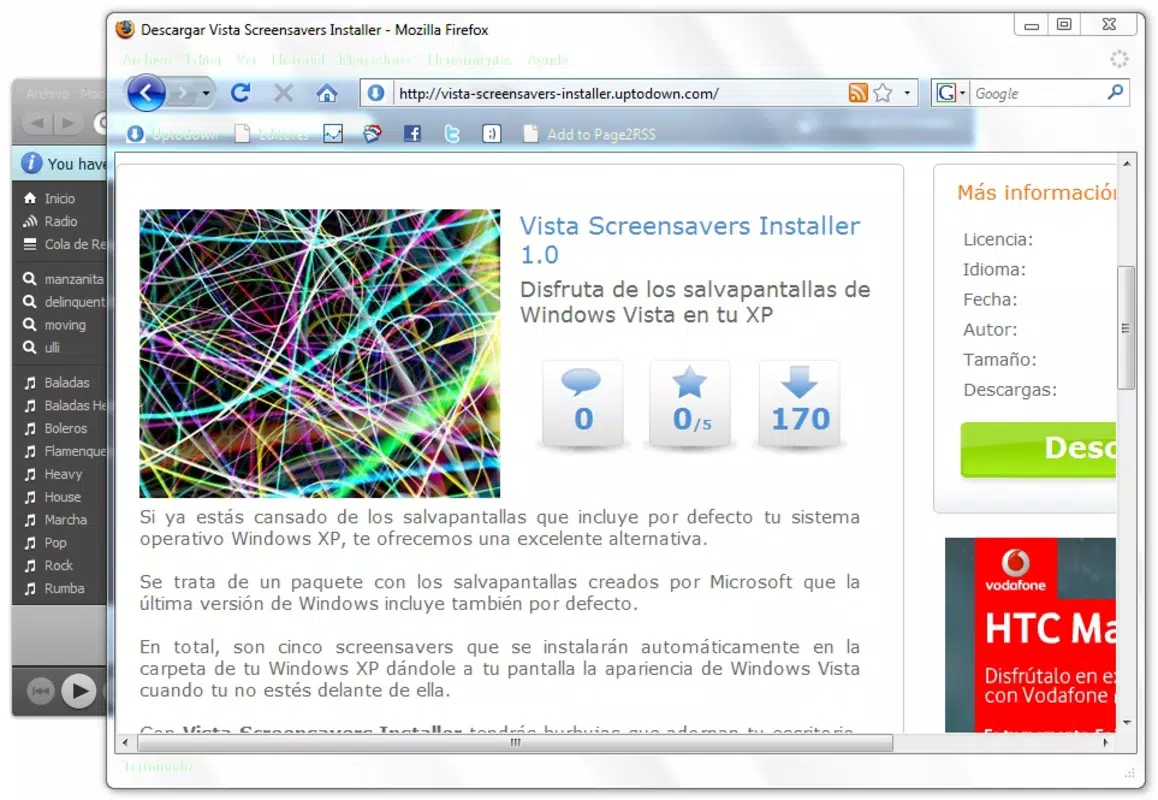
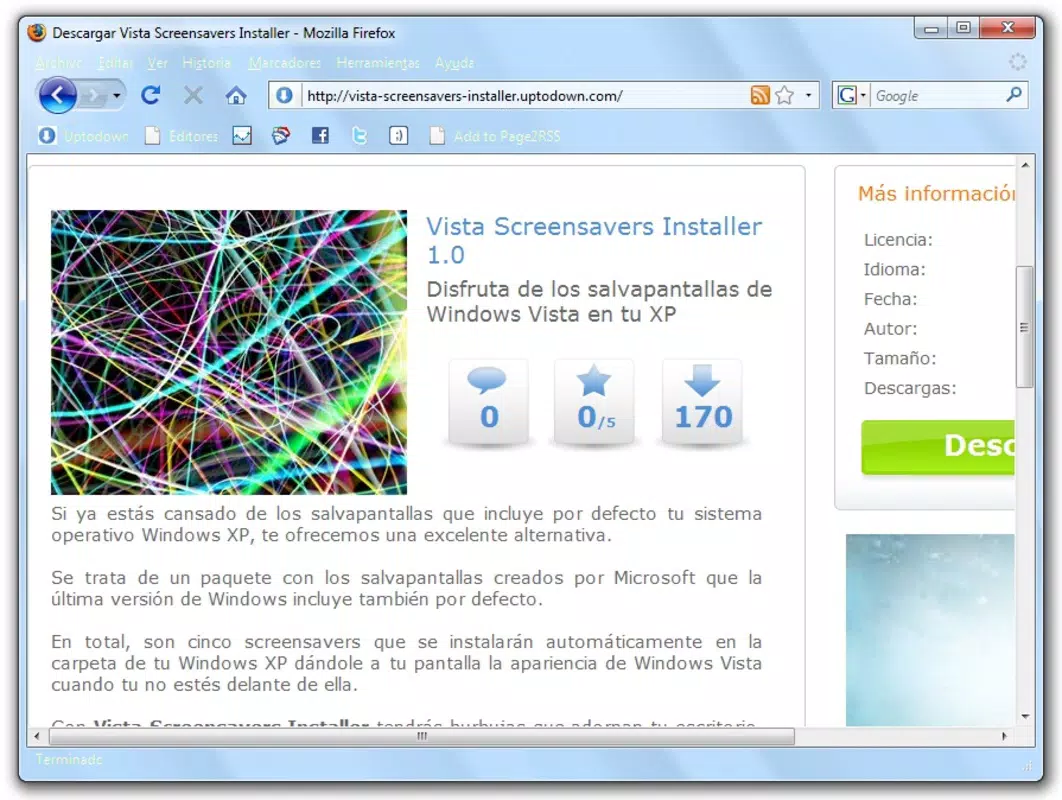
The All-Glass Firefox add-on is a specialized tool designed to enhance the visual appearance of the Firefox web browser on Windows operating systems. Its primary purpose is to introduce transparency effects into the browser’s interface, emulating the sleek, semi-transparent design elements found in Internet Explorer’s Aero interface. This feature is particularly appealing to users who appreciate the aesthetic of older Windows versions, such as Windows Vista and Windows 7, where the Aero glass effect was a defining visual characteristic.
By applying these transparency effects, the add-on aims to create a more immersive browsing experience, making the browser window feel more integrated with the desktop environment. It caters to users who value both functionality and visual polish, especially those seeking a personalized and modern look for their web browser. The tool is ideal for individuals who enjoy customizing their digital workspace and want a more visually engaging interface without altering core browser performance.
The developer, All-Glass, appears to have focused on delivering a lightweight and straightforward enhancement tailored to specific Windows environments. Although the developer did not provide additional technical details, the add-on’s minimal file size and free pricing model suggest a niche, user-centric approach. Its release in 2009 aligns with a period when visual customization was a significant trend in desktop software, particularly among power users and design enthusiasts.
While the add-on does not address performance, security, or new browsing features, it fills a unique space in the browser customization ecosystem by focusing exclusively on visual aesthetics. For users of Windows Vista and Windows 7, this tool offers a way to modernize the Firefox interface with a nostalgic yet refined look, bridging the gap between legacy design and contemporary usability.
Key Features & Functionality
- Easy Installation: The add-on can be installed with minimal effort. Users need only download the file, install it via Firefox’s add-on manager, and restart the browser. This streamlined process ensures accessibility for users of varying technical skill levels.
- Aero Transparency Effects: All-Glass Firefox replicates the semi-transparent window effects seen in Internet Explorer’s Aero interface. This visual enhancement gives the browser a lighter, more integrated appearance that blends seamlessly with the desktop background.
- Enhanced Browsing Experience: By introducing visual depth through transparency, the add-on improves the aesthetic quality of the browsing interface. Users report a more engaging and polished interaction with Firefox, especially when using desktops with high-contrast or dynamic wallpapers.
- Customizable User Interface: The tool allows users to adjust transparency levels according to personal preference. This level of control enables users to balance visual appeal with readability and usability, depending on their screen conditions and visual comfort.
- Compatibility with Modern Windows: Designed specifically for Windows Vista and Windows 7, the add-on leverages the native graphical capabilities of these operating systems to deliver a smooth and authentic glass-like effect.
These features collectively contribute to a more personalized browsing environment. For example, a user with a minimalist desktop wallpaper can use the transparency effect to create a subtle, elegant interface that feels less intrusive. Similarly, a designer working on visual projects may benefit from a browser that visually aligns with their creative workflow.
Interface, UX & Performance
The interface of All-Glass Firefox is intentionally minimal, as it operates as a background add-on that modifies the visual layer of the Firefox browser. The user experience is largely passive—once installed, the transparency effect is applied automatically without requiring constant interaction. This design choice reduces cognitive load and ensures that the primary focus remains on web content.
Navigating through Firefox remains unchanged, with standard controls and menus preserved. The add-on does not interfere with tab management, address bar functionality, or bookmark access, maintaining a consistent UX across sessions. The visual changes are limited to the window frame and title bar, ensuring that core usability is not compromised.
Although the developer did not list formal performance metrics, the add-on’s small file size of 500 KB suggests a lightweight footprint. It is unlikely to significantly impact system resources or browser speed. However, performance may vary depending on the user’s hardware and display settings, particularly on older or lower-resolution screens.
Responsiveness and stability are expected to be consistent with Firefox’s standard behavior, as the add-on does not alter core browser operations. Users may experience minor visual flickering during window resizing or theme changes, but these are typical of visual overlay effects and not indicative of instability.
Platform Compatibility & Technical Requirements
All-Glass Firefox is designed exclusively for the Windows platform. It is compatible with Windows Vista and Windows 7, as explicitly stated in the app’s documentation. The developer did not specify minimum OS requirements or hardware specifications beyond this.
The file size of the add-on is 500 KB, which indicates a lightweight installation. This small footprint ensures that the tool does not consume significant storage space or system memory. The version is listed as 1.0, suggesting a stable, finalized release with no known beta or preview stages.
Compatibility information was not fully disclosed. The developer did not provide details on whether the add-on supports newer Windows versions, such as Windows 10 or 11, or if it functions with modern Firefox releases. Users on updated systems may encounter compatibility issues, as Firefox has undergone significant architectural changes since 2009.
Pros and Cons
Pros
- Lightweight design with minimal file size (500 KB)
- Simple, one-click installation process
- Enhances visual appeal with Aero-style transparency effects
- Customizable transparency levels for personal preference
- Free to download and use
Cons
- Compatibility limited to Windows Vista and Windows 7 only
- Not supported on newer Windows versions or modern Firefox builds
- Developer did not provide update history or future support plans
- May cause visual artifacts on low-resolution or older hardware
- No official documentation or user guides provided
FAQ
Is All-Glass Firefox safe to install?
Yes, the add-on is free and available from official sources. However, users should ensure they download it from trusted websites to avoid malware or unauthorized modifications.
Can I use All-Glass Firefox on Windows 10 or 11?
The developer did not confirm compatibility with Windows 10 or 11. Based on its release date and target platforms, it is unlikely to function properly on newer operating systems.
Does the add-on affect browser performance?
Due to its small file size and passive operation, the add-on is not expected to significantly impact performance. However, older systems may experience minor visual lag during window movement.
How do I uninstall All-Glass Firefox?
Users can remove the add-on through Firefox’s built-in add-on manager by navigating to the Extensions section and selecting “Remove” for All-Glass Firefox.
Is there a mobile version of All-Glass Firefox?
No mobile version has been released. The add-on is designed exclusively for desktop use on Windows.
Final Thoughts
All-Glass Firefox remains a niche but meaningful tool for users who value visual customization and nostalgic design elements. While it does not offer new functionalities or performance improvements, it successfully delivers a polished aesthetic experience that enhances the Firefox interface on compatible systems. Its lightweight nature, ease of use, and free access make it a compelling option for fans of the Aero interface.
However, due to its age and platform limitations, it is best suited for users still running Windows Vista or Windows 7. Modern users are advised to explore current browser customization options, which may offer similar visual effects with broader compatibility.
For those seeking a simple, retro-inspired enhancement to their desktop browsing experience, All-Glass Firefox still holds value. Download All-Glass Firefox now and transform your Firefox interface with a touch of classic elegance.


